You know the feature: you get an SMS message with a 6-digit code (OTP) on your iPhone, and you don’t even have to switch over to the Messages app, the 6-digit code appears right above the keyboard itself. Tap it and the code autofills where needed. It’s an amazing feature of a mobile OS.
That’s what Message Decoder does on macOS (except you have to paste it yourself)
(For the record, I think Safari on macOS can also do this natively, as long as you receive the one-time code on your paired iPhone. That’s great — and no shade on Safari — I just don’t use it as much.)
Here’s the entire thing it does in a few seconds:
It’s free, but it gets “slower” the more you use it, they say, until it’s only 3x as faster as doing it by hand. $24 a year for maximum fastness. I’m starting to feel a little too-many-subscriptions crunch, but this is fairly cheap and the free option is very cool.
I had it installed a week or so and was like this is neat but I don’t use it that much. Plus, I was having trouble with Messages just not showing notifications, which 100% cripples Message Decoder (solution: turn it off and back on again). So I was about to write it off.
But then! I had one of those days where I had a bunch of admin work to do. Taxes, accounting, etc. I found myself logging into a ton of websites that required one-time passcodes (of course, I’ll turn it on any website that lets me). That day, Message Decoder really felt like it was working overtime for me, and I really appreciated not having to do the copy-and-paste dance.
I actually heard about this app from a nice email from Zane Shannon, the developer of the app itself. Thanks, Zane!
I told Zane that some of my OTPs arrive via email and not SMS, and he built support for my preferred email client right into the app:
Ok, I built silent notifications support for Mimestream into version 1.0.2 which is available now— it watches for file system updates on the messages database and parses codes from the subjects and snippets of messages when they arrive.
Nice.
My next bit of feedback was these beasts, which you’ll see when you do stuff like try to log into the iCloud website:
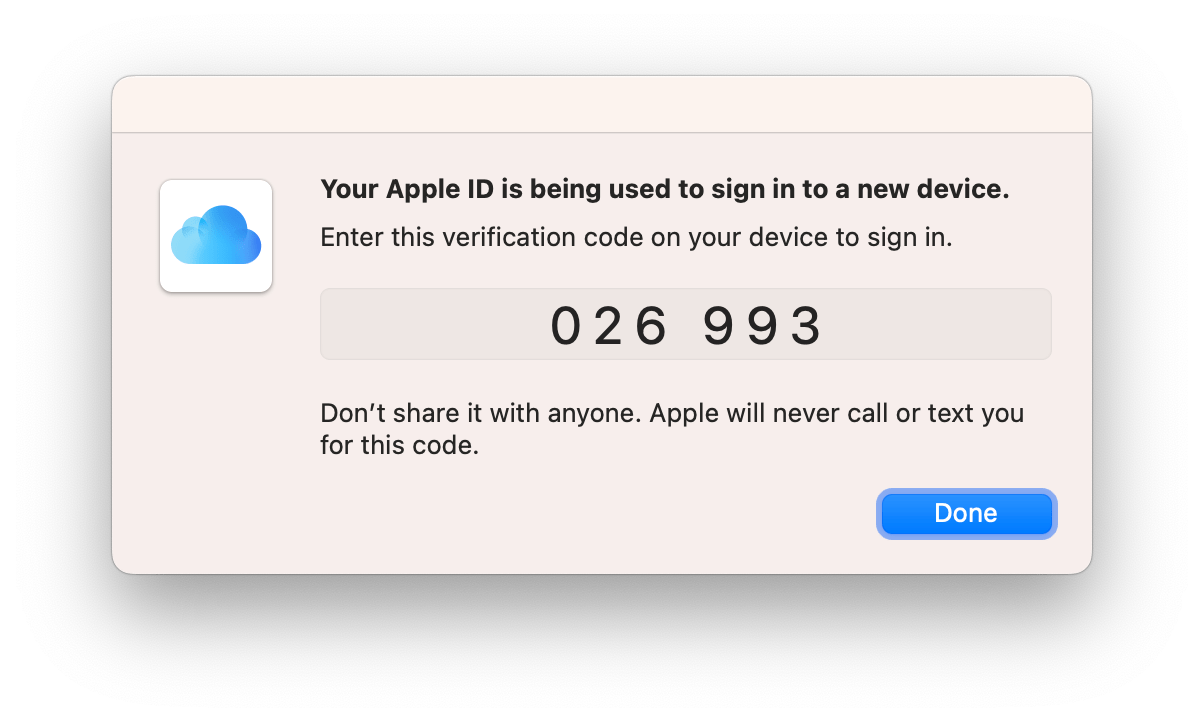
Those are almost even more annoying as you can’t copy and paste them, and that little window has a way of getting lost while you try to drag it to a place where you can see both it and the input. Scanning that sucker would be sweet and I think, perfectly secure, as just getting the notification has done what it needs to do security-wise already.
Related
ncG1vNJzZmibmKe2tK%2FOsqCeql6jsrV7kWlpbGdhZXxyfI6mnKyrkZyybrDEnKadnaJk